



What you want to see on your screen on Friday afternoon...
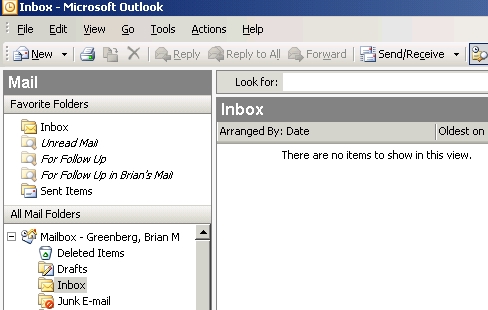
Ahhh, that feels SOOOO good.
(Yes, still a geek. Fellow geeks understand completely - trust me...)
posted by Brian at
5:42 PM

 |
|
      |
|
    |
|
 Previous Posts
About the Blog The thoughts and theories of a guy who basically should have gone to bed hours ago.
|
Friday, February 01, 2008 What you want to see on your screen on Friday afternoon...
posted by Brian at
5:42 PM
|
4 Comments:
Oh, yeah... I totally get that... ahhhh.
By jason, at 7:45 PM, February 01, 2008
You've got a folder alphabetically down the list, Brian, where you keep all of your "to-be-revisited-next-week" emails, don't you? I never leave an unread email at the end of Friday, but I am never able to say that no Friday email would need my attention on Monday... What's your secret?
By Ilya, at 4:46 PM, February 03, 2008
Ilya,
The secret is the Task list. If you right-click and drag an e-mail to the "Task" bar in the bottom left corner of the Outlook screen, you the the option to copy or move the e-mail to the Task List, either as text or as an attachment (if you want to save the entire e-mail).
Whenever possible, I try to either action an e-mail or put it on my task list (ideally with a due date). I have views of my task list by priority, by date, etc. So when I get to the office on Monday, I know what I need to work on based on my calendar and my To Do list.
Unfortunately, the discipline to take care of every e-mail before leaving the office each evening is something I rarely achieve. Friday was a magical day.
By Brian, at 11:12 PM, February 03, 2008
I think my way is simpler: The email stays in the Inbox until I'm done with all relevant follow ups... No chance of an empty Inbox is a small price to pay :-)
By Ilya, at 6:26 AM, February 04, 2008
Post a Comment
<< Home